Pro plugin · QABox
Quality for manufacturers, where the rest of the work lives.
Specifications with revisions, inspection plans, measurements on batches and serial numbers, a verdict signed on the batch. Customer non-conformities are the tickets that already come in, corrective actions are tasks, periodic checks are recurrences in the deadlines. QABox keeps the metrology for itself — what is measured, within which limits, with what outcome — and attaches it to what KeelOps already handles.
How you work
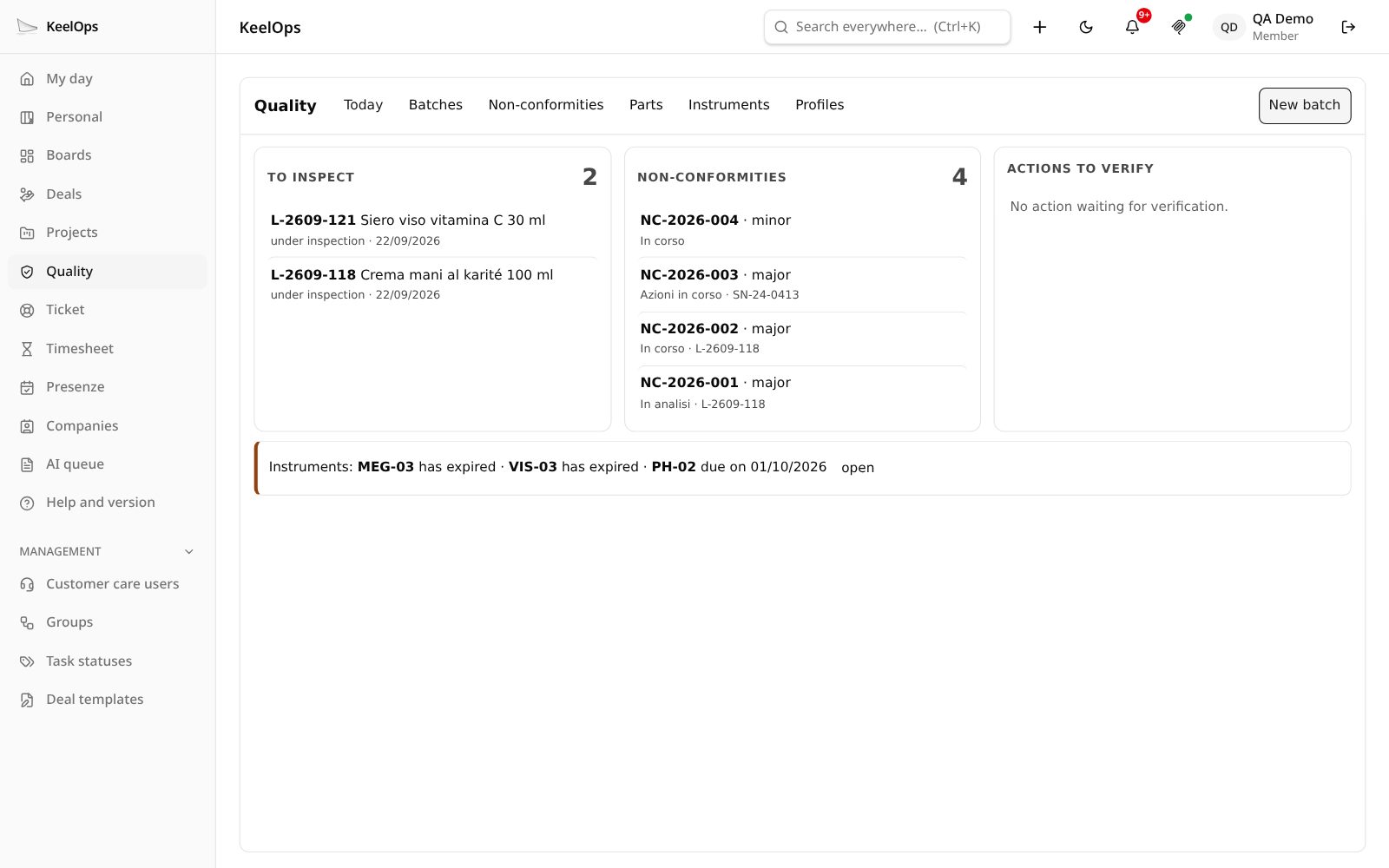
The people who do the work record the measurements. A person signs the verdict.
1. The sector
You import a profile: the vocabulary, the characteristics to measure, ready-made plans, the allowed dispositions for nonconforming product. It is a file, not code.
2. The rules
Items and specifications with their revision; inspection plans per stage — incoming, in-process, final, periodic — with their sampling.
3. The measurements
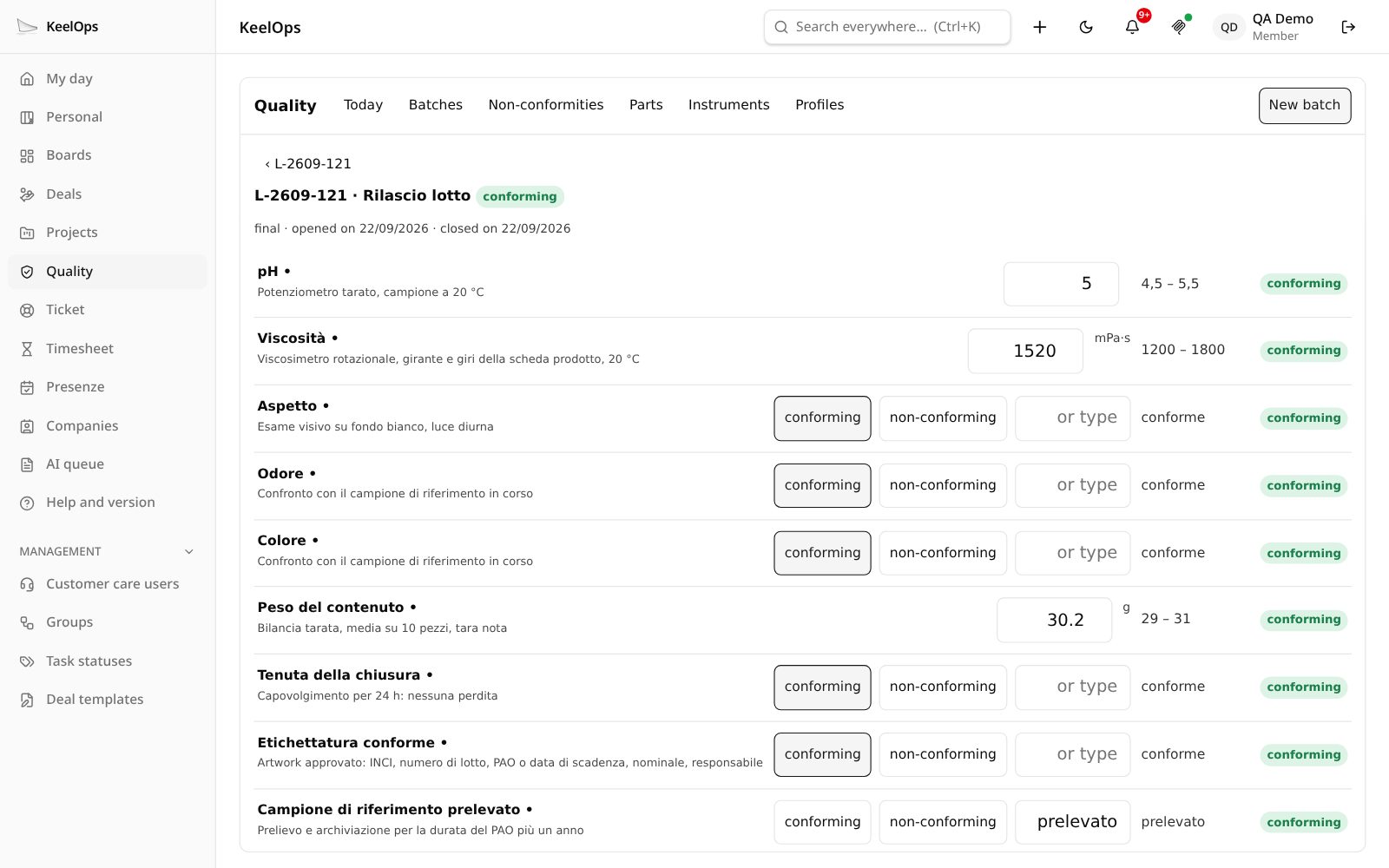
On a batch or a serial number, with the instrument used. The “out of limits” pill lights up while you type, with the same rule the server records.
4. The verdict
The person in charge signs: released, rejected, under concession or for rework — only among the dispositions the sector allows.
5. The non-conformity
It is born as a task in the sector’s project, with its severity; corrective actions are tasks too, with a check of their effectiveness.
6. The instruments
Every instrument with its calibration and the next due date. An overdue instrument shows itself; nobody has to remember it.
No duplicates
It rests on what KeelOps already does.
A separate quality system means a second list of actions, a second list of complaints, a second calendar. QABox builds none of them.
Complaints → tickets
The customer’s complaint arrives from the portal, from osTicket or from the form in your application, like any other request. Each sector has its own project.
Actions → tasks
Corrective actions have an assignee, a supervisor, a due date, hours and notifications, like any other task. They sit in the day of whoever has to do them.
Periodic checks → recurrences
Type surveillance, stability testing, the review: they are deadlines that repeat, and the deadlines area already knows how to repeat them.
Improvement → project
An improvement programme is a project, with its members, its tasks and its progress.
The sectors
The core is generic. The sector comes in as data.
Nine profiles are ready to import with one click, and can be copied, edited and exported for another plant. A profile is a .qabox file with a documented format.
- ISO 9001 base — the starting point for anyone who makes something
- Cosmetics — ISO 22716: pH, viscosity, microbiology that arrives days later
- Lighting — IEC/EN 60598: luminous flux, dielectric strength, per batch or per serial number
- Food, mechanical, plastics, packaging, textiles and services
Who sees what
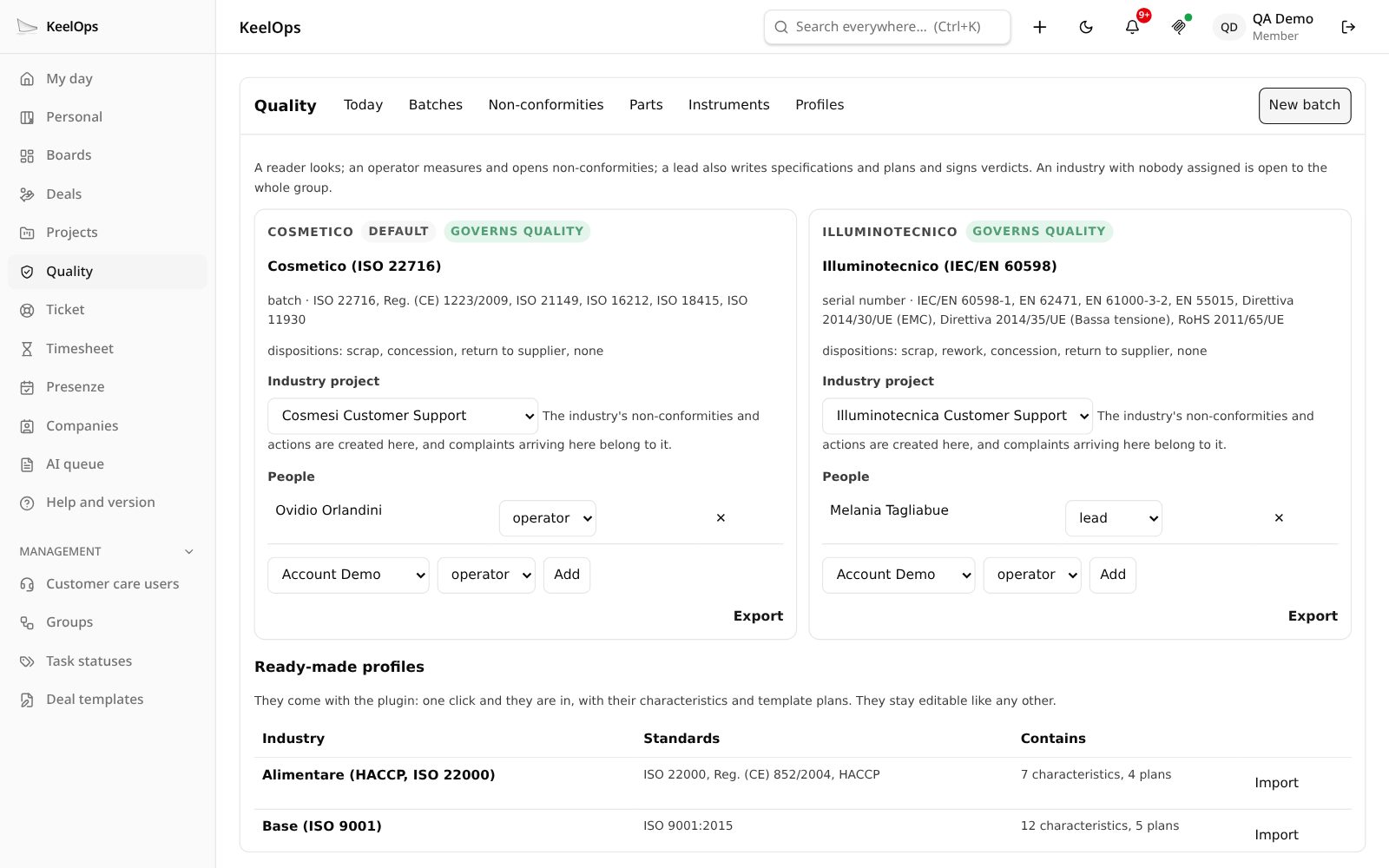
Each sector has its people, like a project.
Reader
Looks at the batches, measurements and non-conformities of their sector.
Operator
Records measurements, opens batches and non-conformities.
Person in charge
Also writes specifications and plans, and signs the verdicts of their sector.
The plugin creates the “Quality” group itself; whoever is not in it does not even see the menu item. A sector with no people stays open to the whole group; the page never offers a button to someone who cannot use it.
What it is not
Three boundaries, stated up front.
- It is not a production management system: no stock, no orders, no delivery notes.
- It is not a document management system: procedures under controlled revision are a different job.
- It does not make you compliant with a standard: it helps you work in compliance, which is a different thing.
Watch it work, with made-up data.
In the pro demo QuoteDOCX, QABox, Rapportini and Attendance are switched on: sign in with the test profiles printed on the sign-in page, no registration needed. community.keelops.it runs the free plugins only.