Pro plugin · Rapportini
The report is written on site, and the hours arrive by themselves.
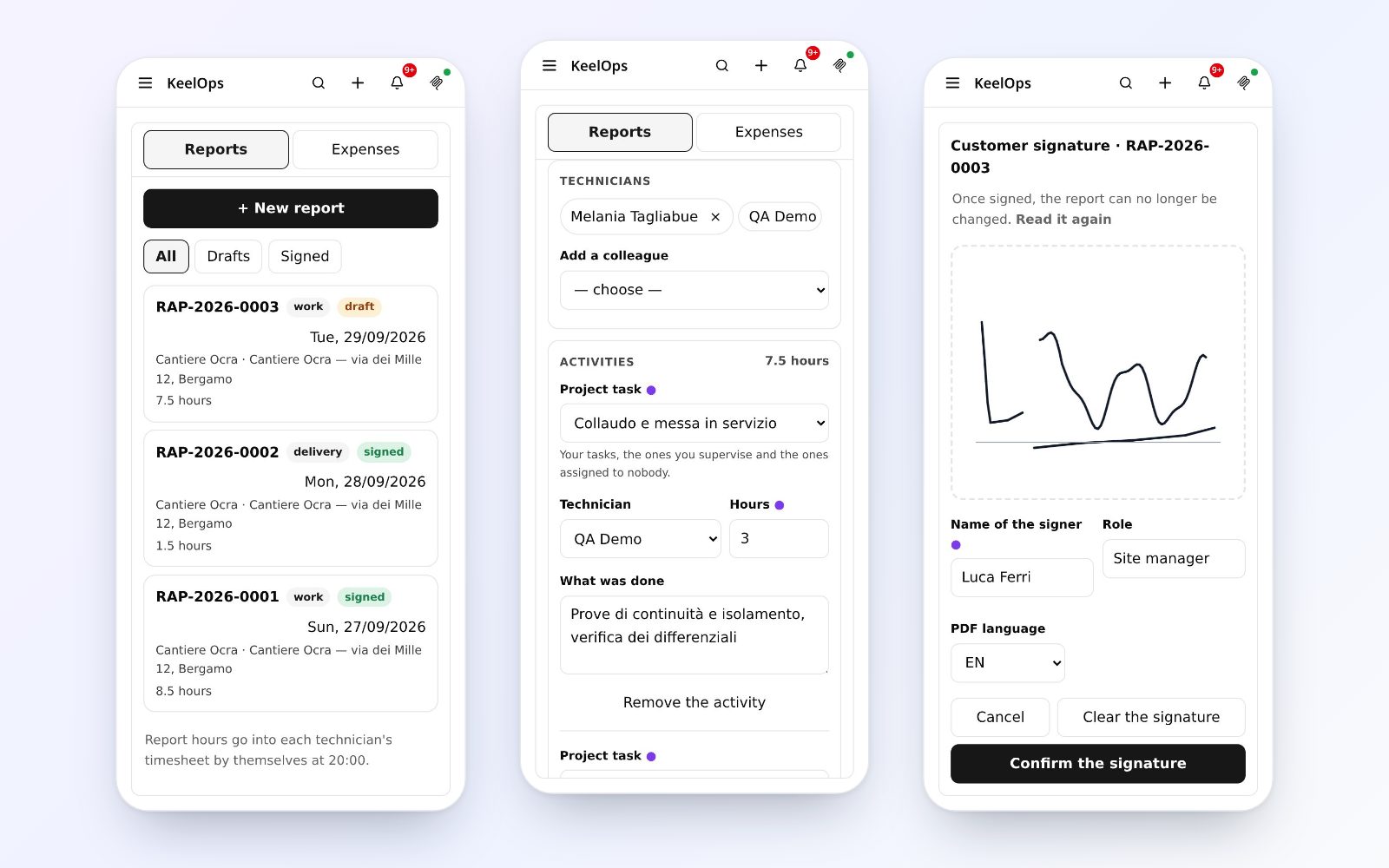
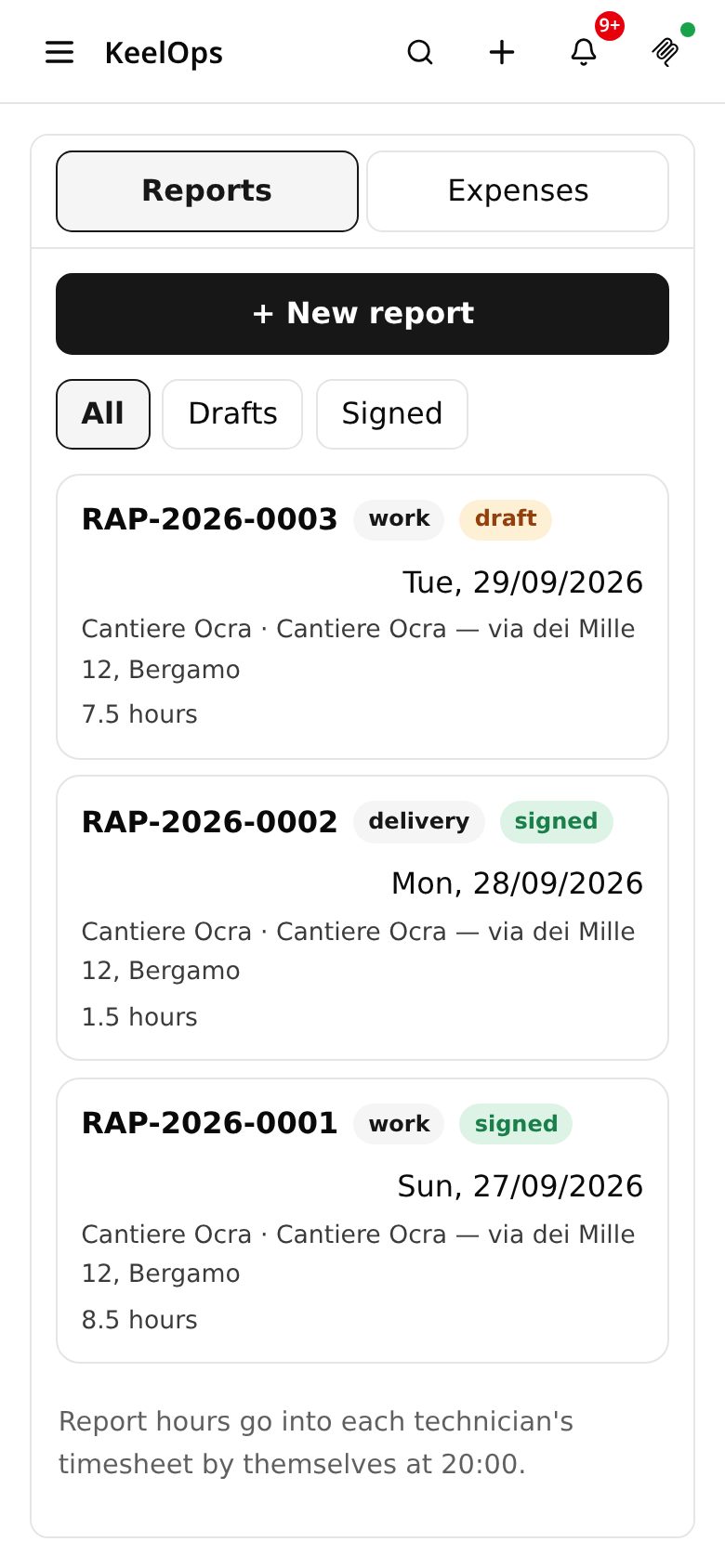
The work or delivery report, from the phone: activities are the project's tasks, the customer signs with a finger, photos and receipts go into the task's attachments. At the end of the day the hours reach each technician's timesheet, and the signed PDF goes to the customer.
How it works
Standing up, one-handed, even with a weak signal.
1. From the project
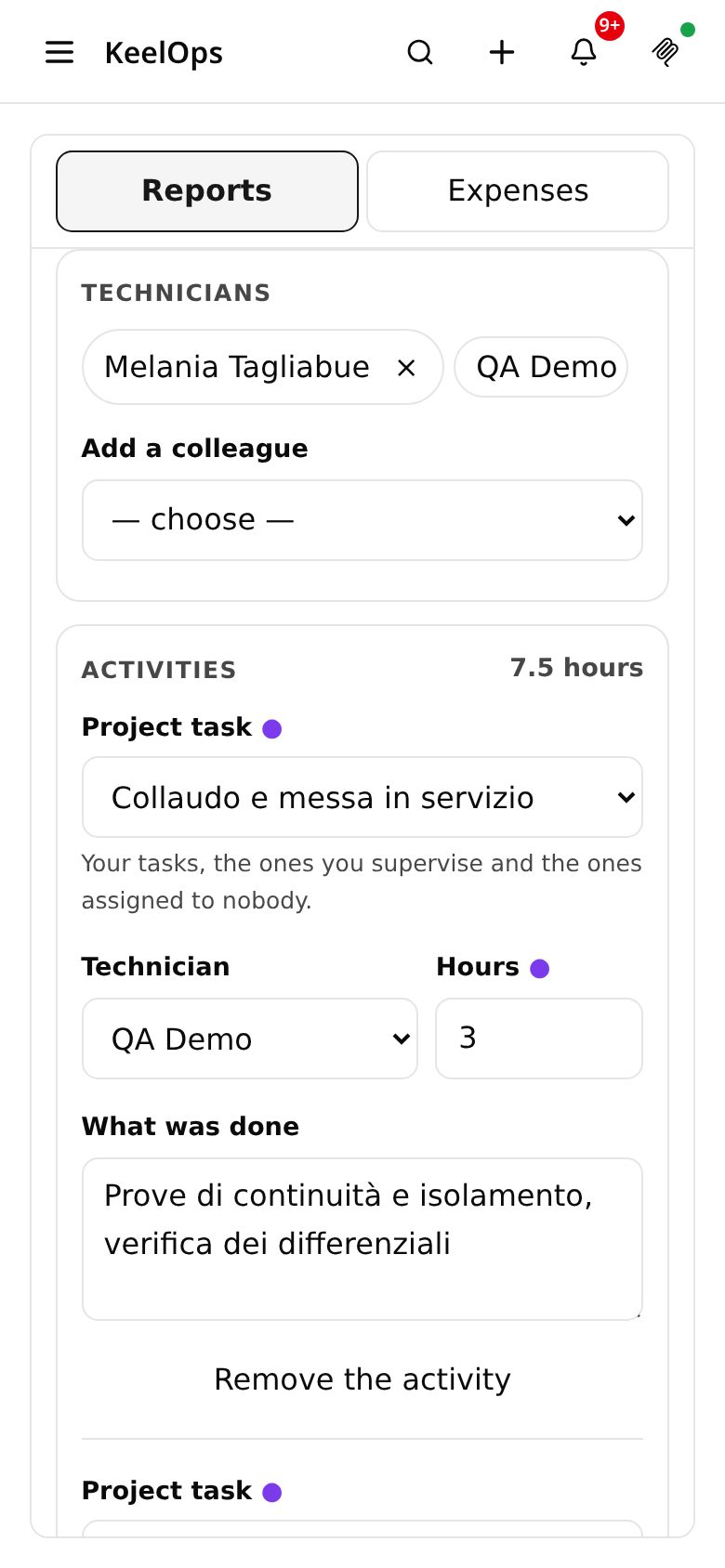
A report starts from a project you are a member of: activities are chosen among its tasks — yours, the ones you supervise, the unassigned ones — one line per technician, with hours by quarters.
2. On the phone
Times and break, travel and kilometres, materials with serial or batch, notes and outcome. It saves while you type: no button to forget in a basement.
3. Photos and documents
Straight from the camera: the phone shrinks the photo before sending it, and it lands in the attachments of the project's task, where everyone sees it.
4. The signature
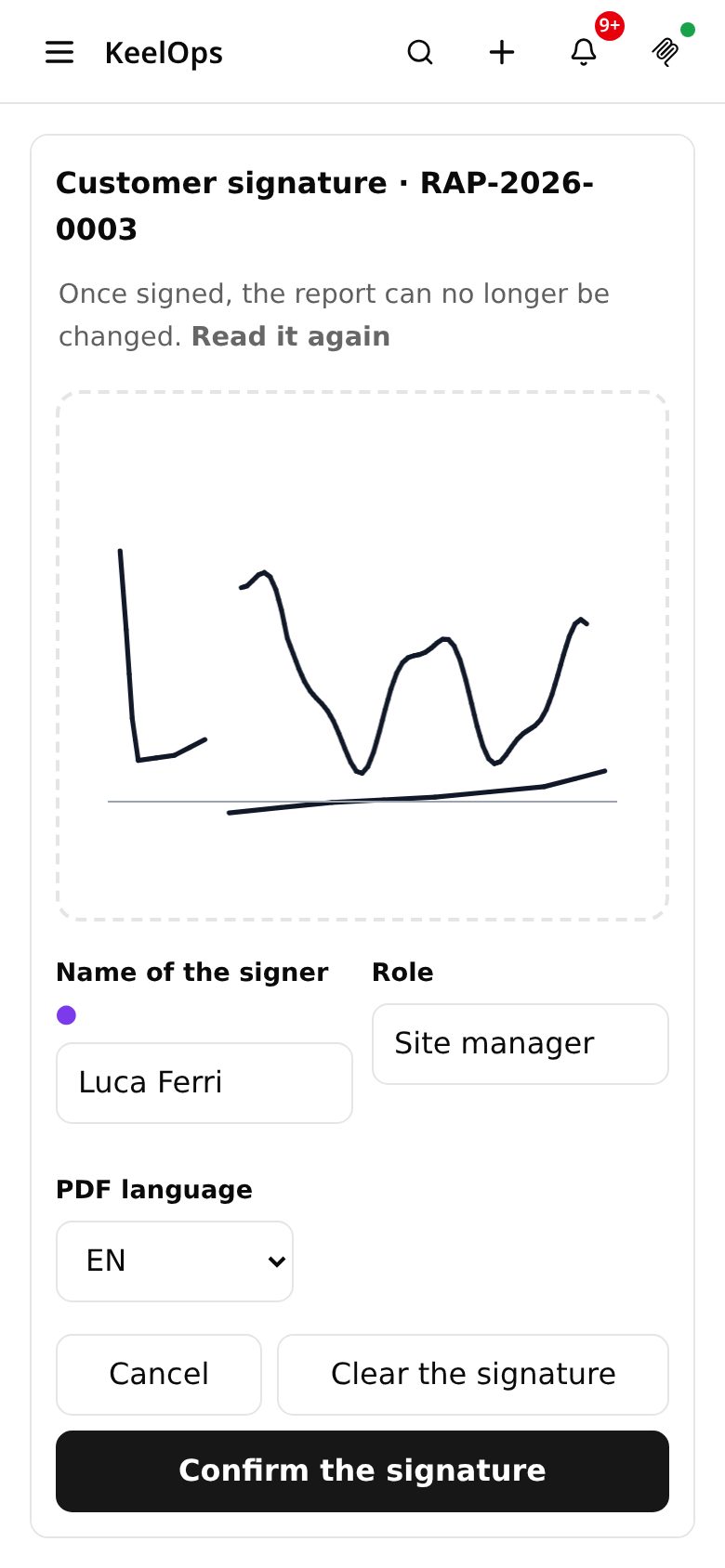
The customer signs with a finger, full screen, with name and role. From then on the report no longer changes: that text is what was signed.
5. The PDF to the customer
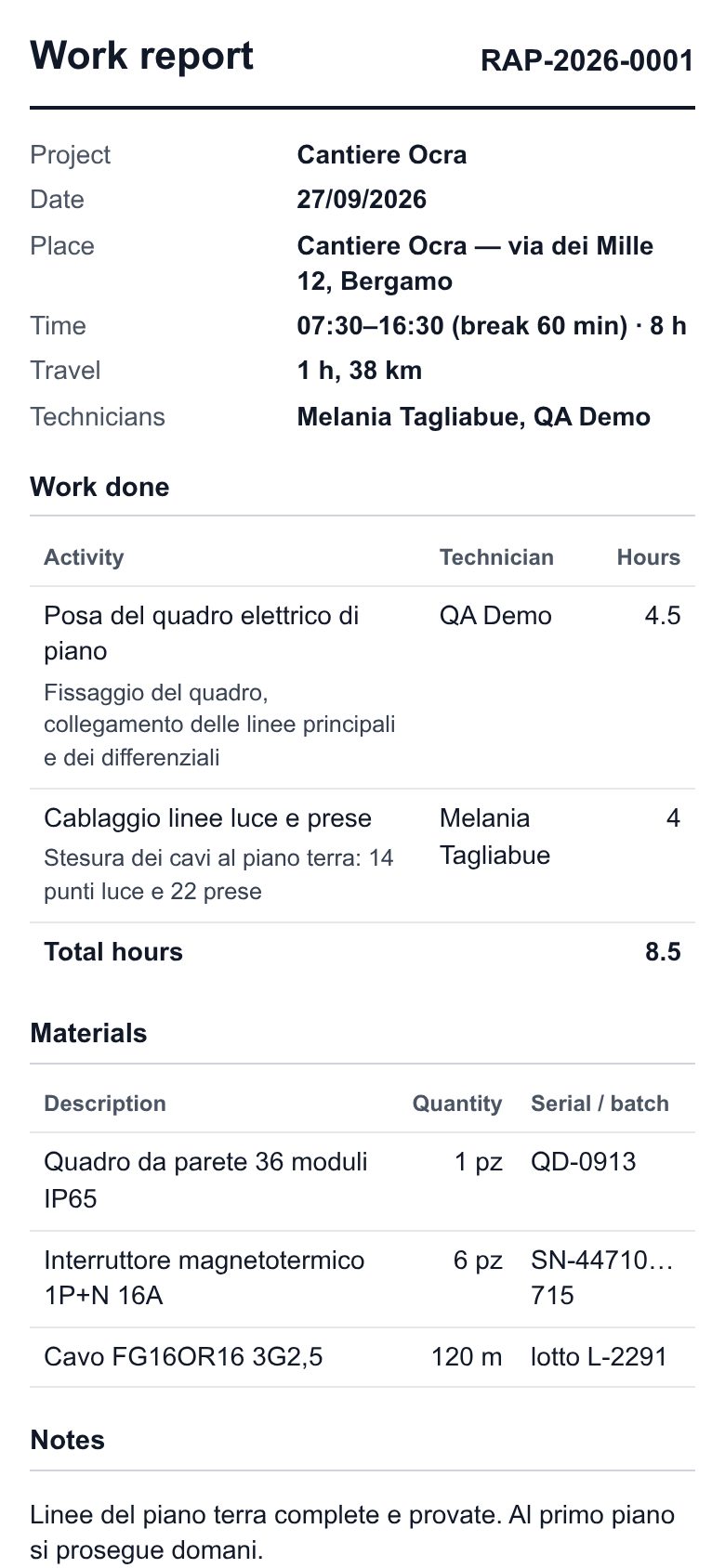
The signed document becomes a PDF attached to the task and goes to the customer's contact through KeelOps' mail. Replies come back to the technician, not to a mailbox nobody reads.
6. Hours into the timesheet
At 8 pm the day's hours reach each technician's timesheet by themselves, activity by activity, added to the ones typed by hand. A corrected report sends only the difference.
No duplicates
Everything ends up where KeelOps already keeps it.
A separate report app means hours to copy, photos to forward, PDFs to file. Rapportini keeps nothing for itself that KeelOps can already keep.
Activities → tasks
Activities are the project's tasks: no list of jobs to keep in step by hand.
Photos and PDF → task attachments
They show up in the task, can be downloaded, read with KeelOps' reader, and are in the backup.
Hours → timesheet
With the grid's rules: a closed month stays closed, and hours typed by hand are never touched.
Email → KeelOps' mail
The same sender and brand as the other emails, and no mail server of the plugin's own.
Travel documents
The receipt is photographed while it is still in your hand.
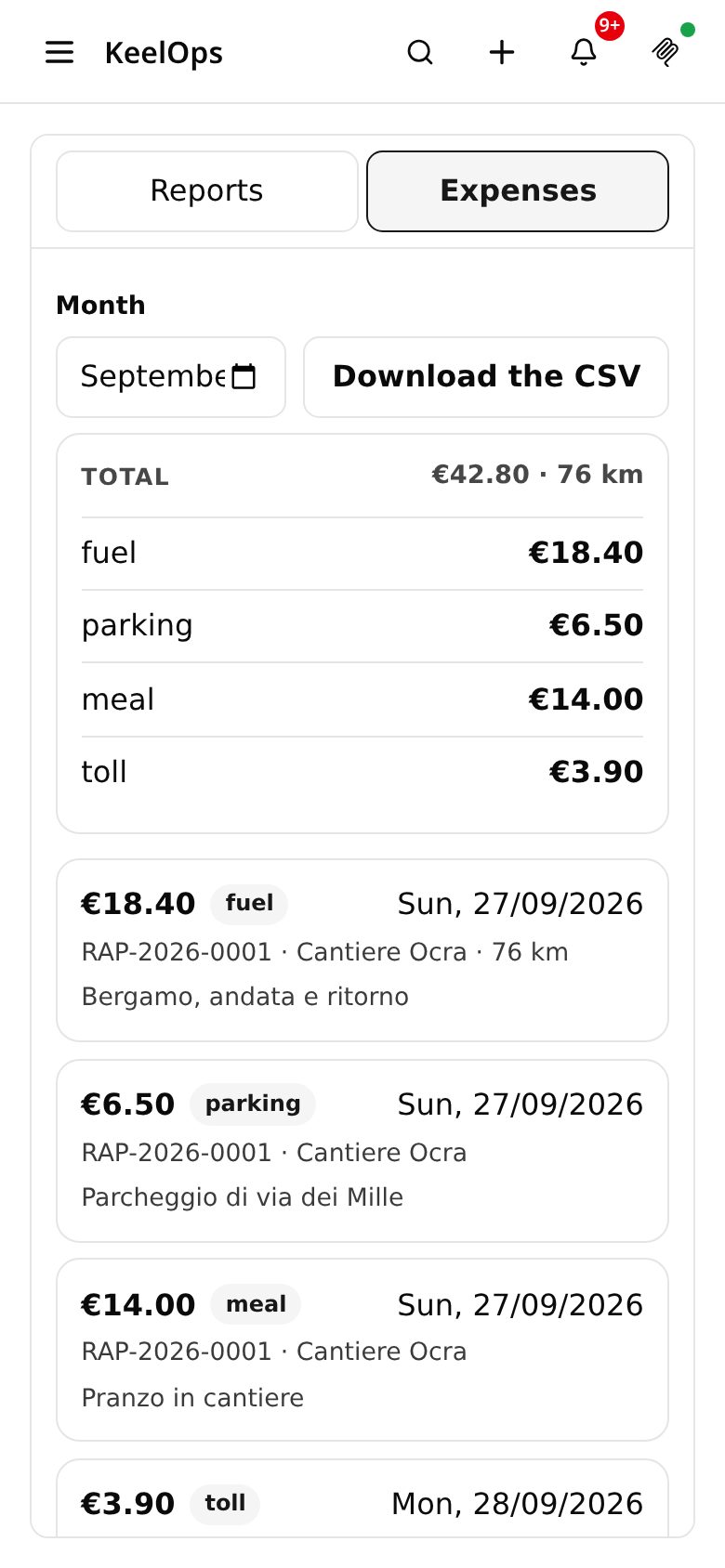
Fuel, train, parking, toll, meal: the photo goes into the task's attachments, the amount and category stay in the report. At the end of the month everyone has their total, and the office has the CSV for refunds.
- One person, their expenses — everyone sees their own; an elevated administrator sees everyone's
- The month's CSV — with a link to each line's receipt, which opens in KeelOps
- No formulas in the sheet — cells are written so that a spreadsheet runs nothing
Who sees what
Everyone their own projects, and their own tasks.
Who writes
Chooses among the projects they are a member of, and among tasks that are theirs, supervised by them or assigned to nobody. Never a colleague's task.
The technicians
Each has their own lines, and their hours end up in their own timesheet. The report is sent to the customer by whoever worked on it.
The project
Its members read the project's reports. The customer portal does not see them: plugins do not reach external users.
What it is not
Three limits, stated up front.
- It is not a transport document: the delivery report is a signed receipt, not a tax delivery note, and the PDF says so.
- It is not a qualified digital signature: it is a simple electronic signature, the customer's stroke with name, date and time.
- It does not work offline: it saves while you type, but it needs a connection.
Watch it work, with made-up data.
In the pro demo QuoteDOCX, QABox, Rapportini and Attendance are switched on: sign in with the test profiles printed on the sign-in page, no registration needed. community.keelops.it runs the free plugins only.