Pro plugin · QuoteDOCX
The deal document is written where the deal lives.
From the deal panel, the Word button opens the quote in a page editor. It starts from the company’s .docx template — letterhead, line-item table, terms — takes the deal’s data, and gives back a .docx that Word reopens without surprises, with the PDF next to it. Both attached to the deal.
How you work
The company makes the template in Word. Sales writes the document in KeelOps.
1. The templates
The sales manager uploads the company’s .docx files — quote, offer letter, specification — with a title, a description and a preview of the first page. One is the default.
2. The deal’s data
From the deal you pick the template, and the placeholders fill themselves: customer, VAT number, contact, salesperson, value, date and expiry. If the deal changes, they update with one click.
3. The writing
A page editor with the menus and icon bar you expect from Word, the template’s styles, tables, footnotes. One person at a time: whoever opens the document holds it while writing.
4. The versions
Every saved version stays: compare it with another word by word, and attach the right one to the deal as .docx and as PDF.
The editor
Pages, not a text box.
A deal’s description is a note. This is the document the customer receives, and it needs what a document has.
Real tables
Merged cells, borders, widths, shading, and a header row that repeats on every page.
Footnotes, headers and footers
Footnotes, the letterhead on every page, a different first page, the page number.
The template’s styles
Headings, body, line-item table: you apply the styles the company already decided in Word, and the document stays consistent. Bold on a single word still works.
Fonts
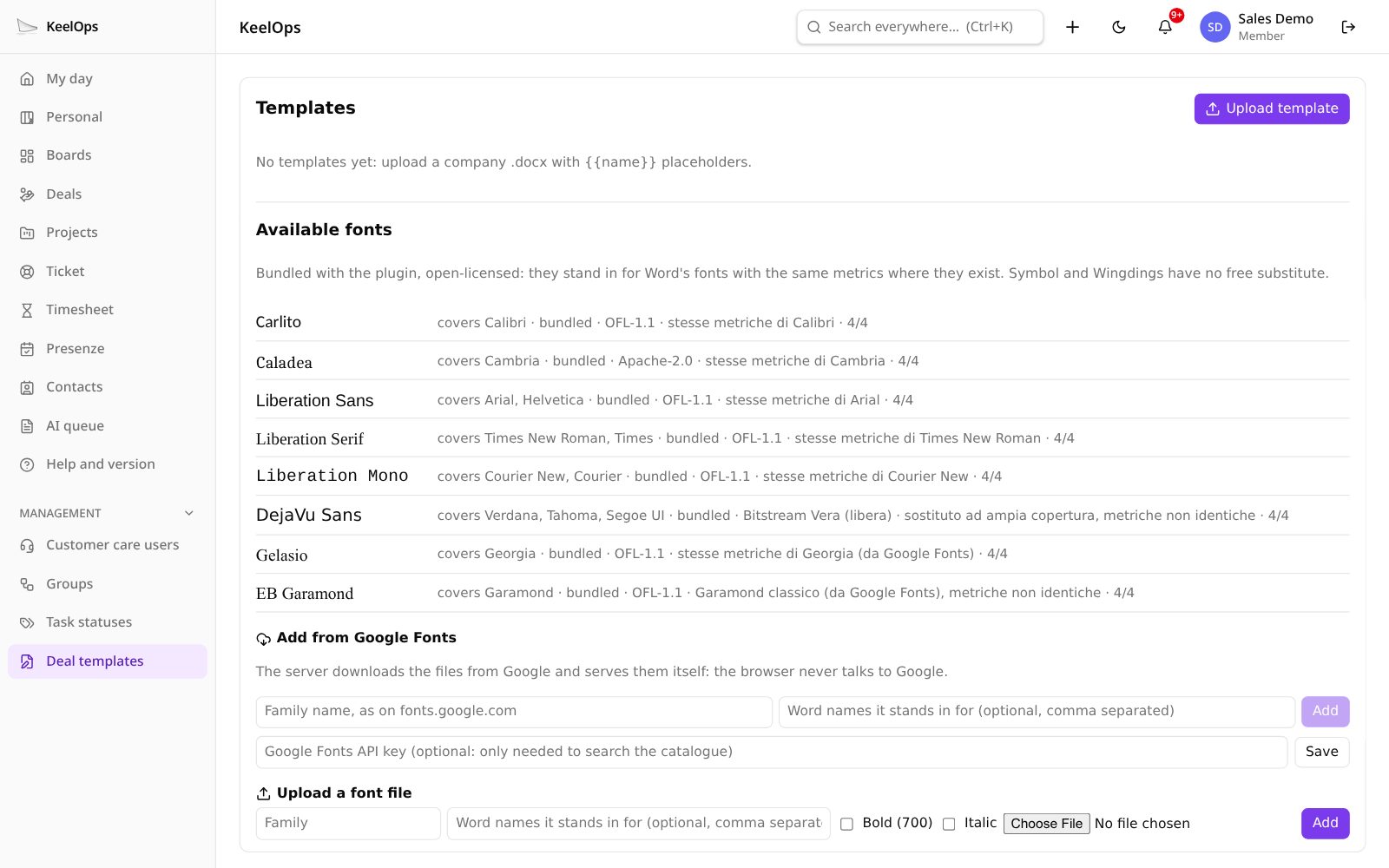
The plugin ships open-licence substitutes for the Word fonts, with the same metrics where they exist: Carlito for Calibri, Caladea for Cambria. More can be added from Google Fonts or from a file.
Honesty
What it keeps, and what it does not.
QuoteDOCX does not rewrite Word. It keeps a document that is written in the browser and reopens in Word and LibreOffice, and it says up front what it touches and what it leaves alone.
| What | How |
|---|---|
| Paragraphs, styles, lists, tables, images, footnotes, headers and footers | editable |
| Shapes, complex fields, embedded objects in the template | passed through — not editable in the editor, but back in place in the .docx |
| Macros, tracked changes, equations | not handled |
The pages on screen are laid out by the browser: they say roughly where Word will break a line. The PDF, instead, comes from the same page you see, and matches it.
Who does what
The permissions are the deal’s.
The sales manager
Uploads and looks after the templates, chooses the default. The super admin can too.
Whoever can edit the deal
Writes the document, saves versions, attaches the .docx and the PDF.
Whoever can see the deal
Reads the document, on the same page as the person writing it. Whoever cannot see the deal cannot see the document either.
On your server
No outside service.
The editor runs inside KeelOps and your own server prints the PDF. No office suite to install next to it, no documents leaving for someone else’s cloud, and only permissive licences among the dependencies.
Watch it work, with made-up data.
In the pro demo QuoteDOCX, QABox, Rapportini and Attendance are switched on: sign in with the test profiles printed on the sign-in page, no registration needed. community.keelops.it runs the free plugins only.